Beneficial Ownership, Control, and Structure
Learn how to complete the ownership, control, and structure section of a FINTRAC form by building out a multilevel beneficial ownership structure in Iluminai.
Contents
Overview
When completing a FINTRAC Identification Record for a corporation, trust, partnership, or other entity, you may be required to collect and record information about the entity's ownership, control, and structure. FINTRAC’s beneficial ownership guidance explains that, when verifying an entity’s identity, reporting entities must obtain beneficial ownership information and, in all cases, information establishing the entity’s ownership, control, and structure.
According to FINTRAC:
"Identifying beneficial ownership removes the anonymity of the individuals behind transactions and account activity, which is a key part of Canada's anti-money laundering and anti-terrorist financing regime."
Beneficial owners are not other corporations, trusts, or entities. They must be individuals behind the ownership structure. In some cases, this means reviewing multiple layers of ownership to determine who directly or indirectly owns or controls 25% or more of the corporation, entity, or trust units, or who otherwise exercises control over the entity.
Iluminai helps make this process easier by allowing you to build out the entity's beneficial ownership structure step-by-step. This walkthrough explains how to create a multilevel ownership structure in Iluminai so the FINTRAC form accurately reflects the client's ownership, control, and structure.
Note: For more information relating to beneficial ownership, control, and structure, please see FINTRAC's Beneficial ownership: Understanding your requirements presentation, available through their Learning resources for businesses area.
Example Scenario for a Multilevel Beneficial Ownership Structure
For example, imagine you are working with "Tiny Corp.", which is selling a property.
Tiny Corp.'s ownership structure may include several layers of entities, where one entity owns another, and that entity may itself be owned by another corporation or individual.
Let's say Tiny Corp.'s ownership structure looks something like this:
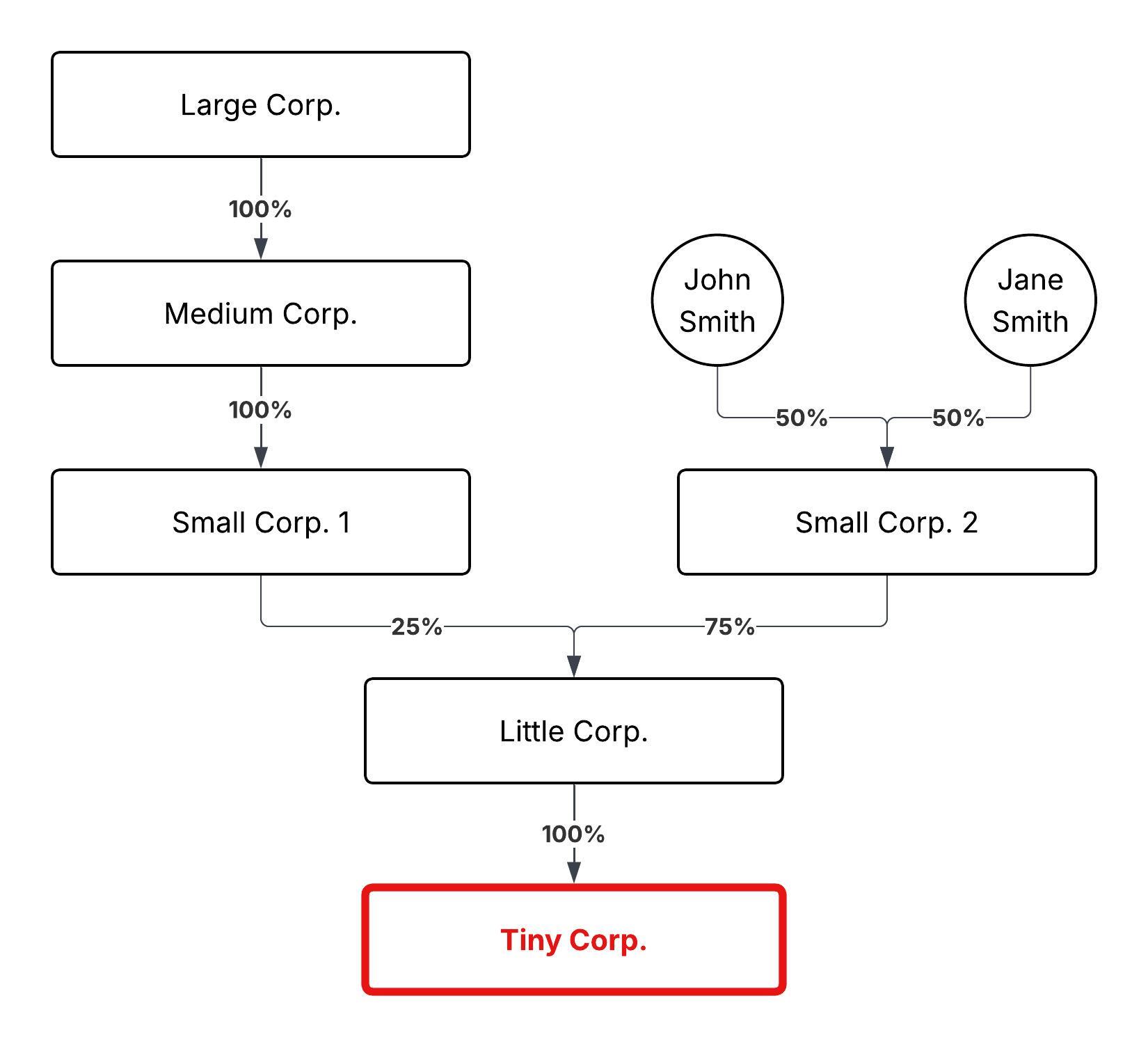
In this example, Tiny Corp. is owned through multiple entity layers. To enter this correctly in Iluminai, you will build the structure from the bottom up.
Step 1 - Start From the Bottom of the Ownership Structure
To build this structure, start with the corporation that directly owns Tiny Corp.
In this example, that would be Little Corp.
From the Beneficial Ownership section:
- Click Add
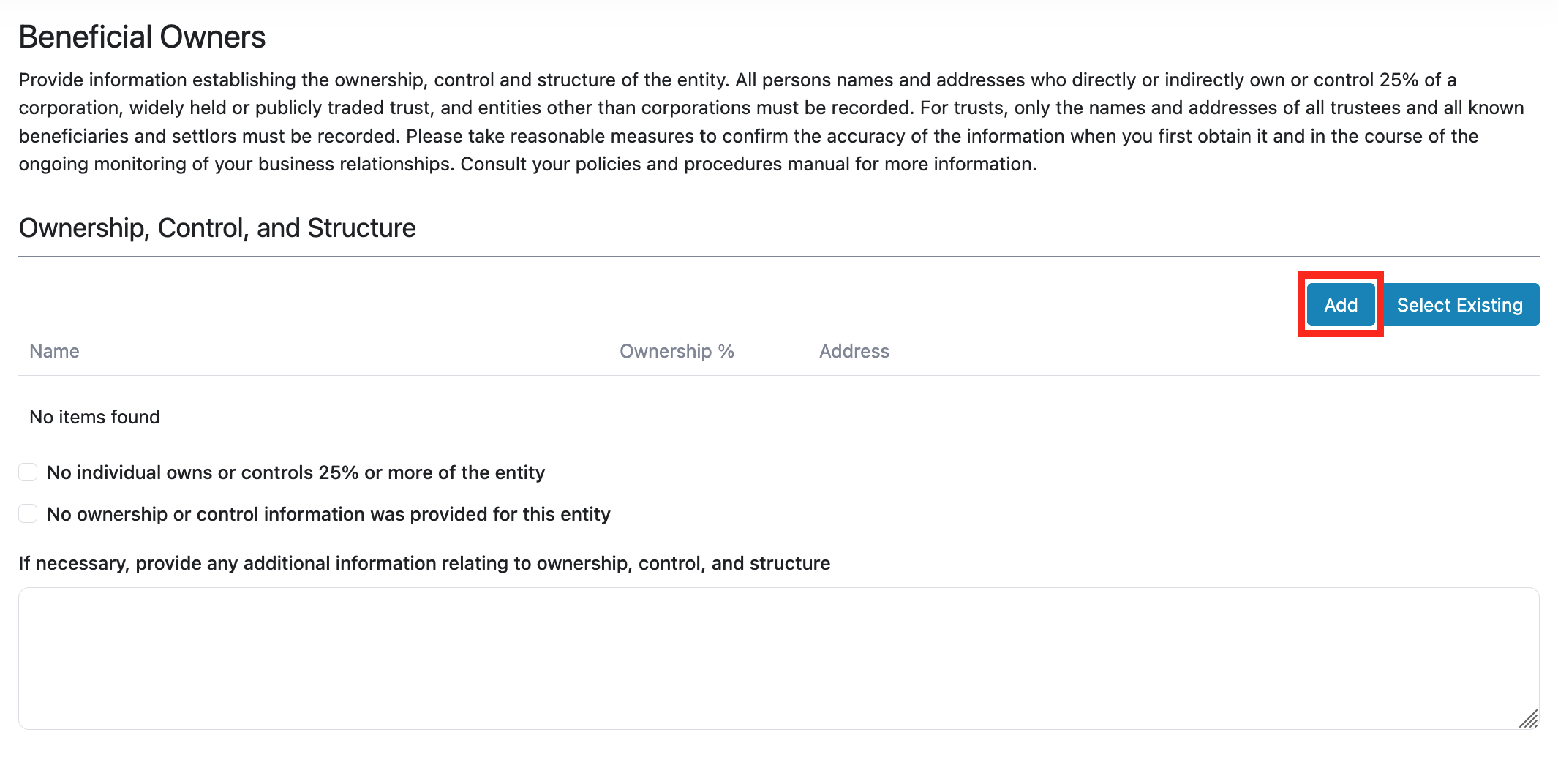
- Select the appropriate Entity Type
- Enter the required information for Little Corp.
- Click Save
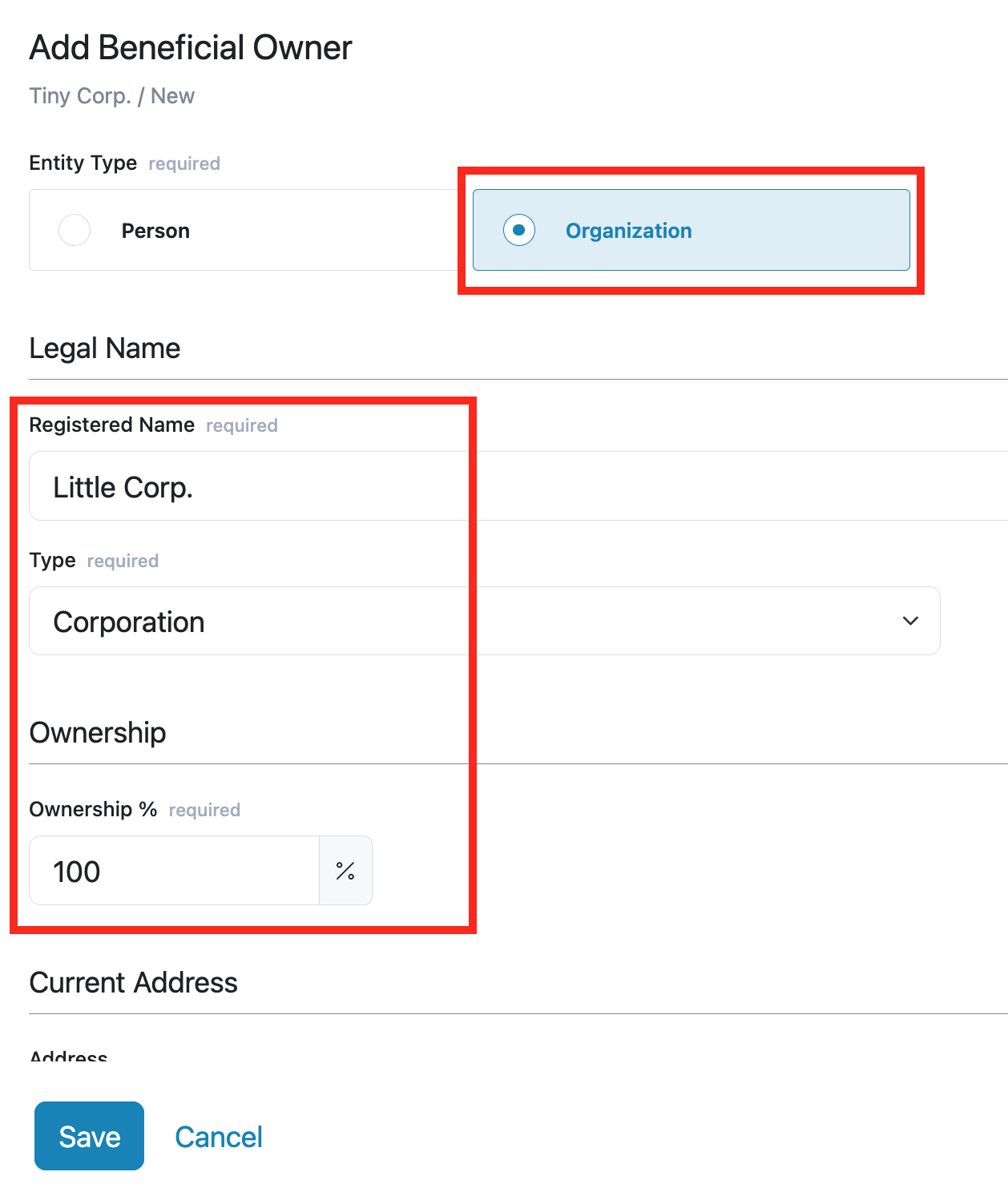
Once Little Corp. has been added, it will appear in the ownership structure.
Step 2 - Add the Entities That Own the Parent Corporation
Next, you will add the entity or entities that own Little Corp.
To do this:
- Find Little Corp. in the ownership structure
- Click the three dots beside Little Corp.
- Select Add
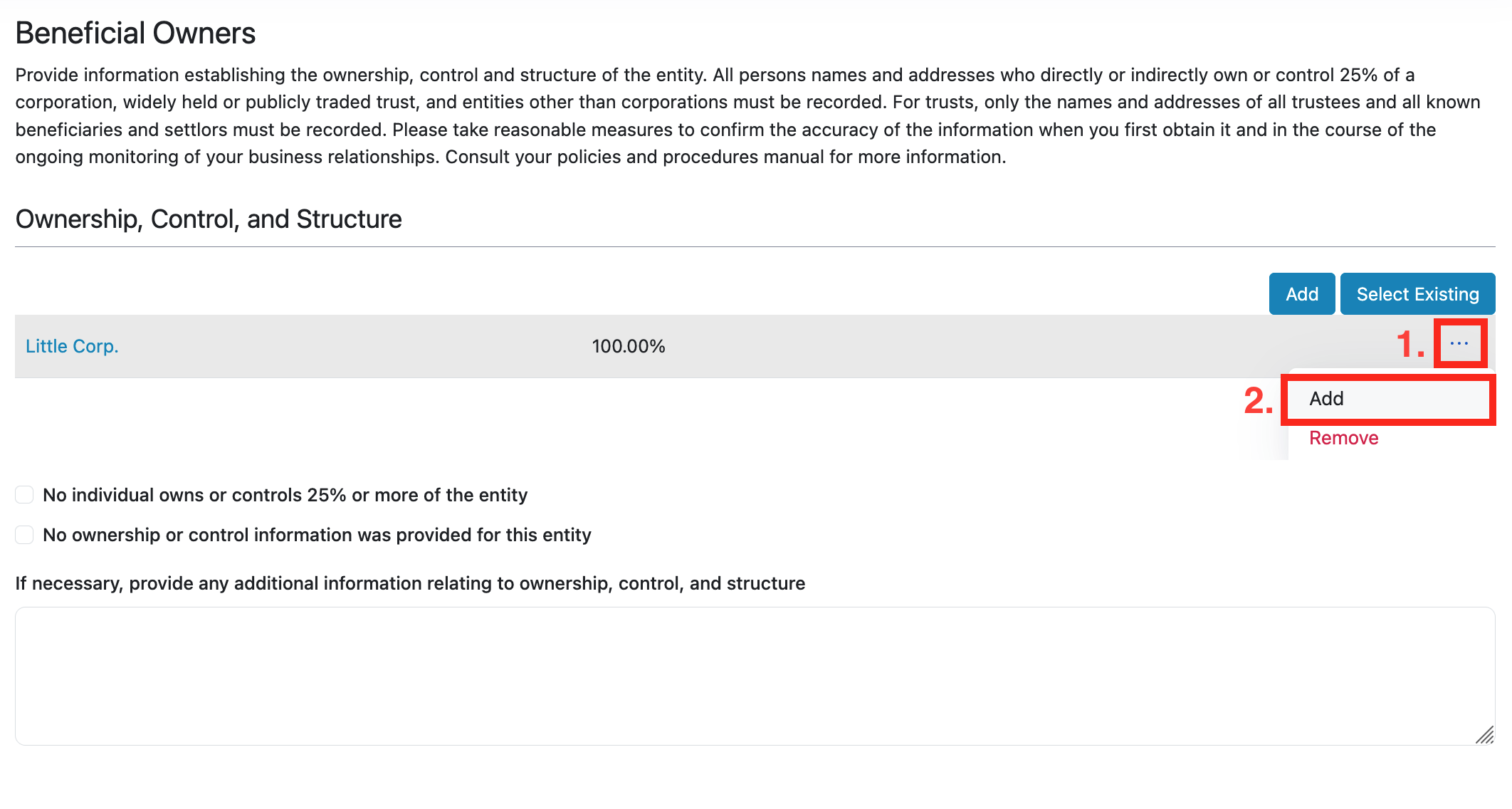
- Choose the correct Entity Type
- Fill in the required information
- Click Save
This adds a new owner above Little Corp. in the ownership section.
Step 3 - Continue Working Up the Structure
Continue this process for each additional ownership layer.
Each time you need to add an owner, click the three dots beside the entity that is owned, then select Add to enter the entity's details that owns it.
You will continue building upward until the full beneficial ownership structure is complete.
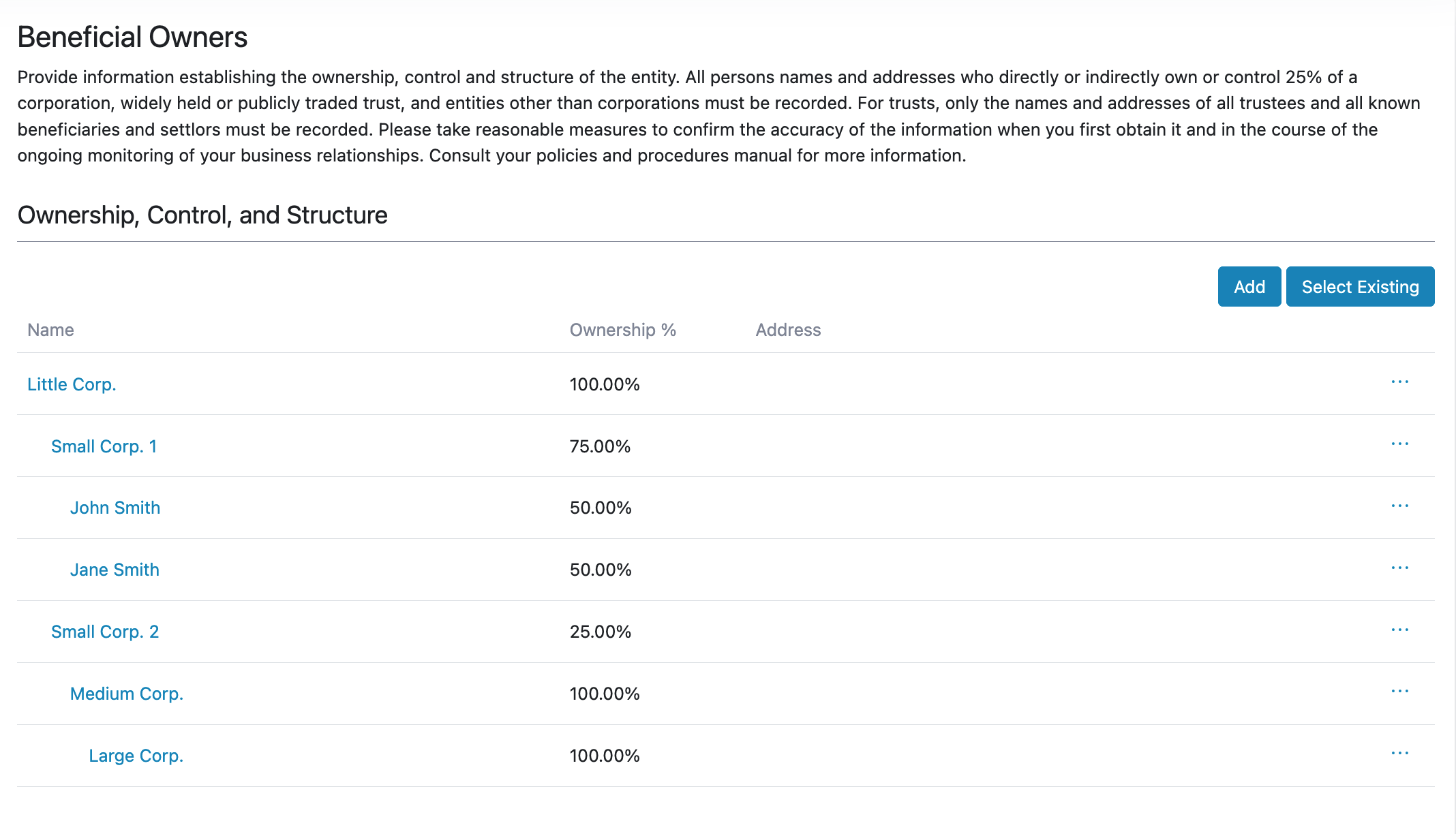
By the end, your structure should look something like this: